

Translator
With the Translator app, language barriers are a thing of the past.
Whether youre traveling the globe, learning a new language, or simply connecting with international friends and colleagues, Translator is your indispensable tool for bridging linguistic gaps with ease and precision.Key Features:
🌐 Instant Translation: Translator is your language genie, offering quick and highly accurate translations for over [Number] languages.
Type or speak your text, and our advanced translation engine delivers results in the blink of an eye.
Effortless communication across languages has never been simpler.
📢 Speak to Translate: Express yourself without constraints.
Translator lets you translate spoken words and phrases effortlessly.
Just speak into your device, and Translator transforms your voice into the language of your choice.
Connect with people from all corners of the world, regardless of language barriers.
📸 Camera Translation: When you encounter foreign text, simply point your camera at it, and Translator will overlay real-time translations.
This feature is perfect for deciphering signs, menus, or any printed material in another language.
Explore the world around you confidently.
📦 Offline Mode: Worried about internet connectivity while traveling?
Worry no more.
Download language packs and have access to translations even when youre off the grid.
Wherever your journey takes you, Translator is your trusted companion for uninterrupted communication.
🗂 Language Library: Translator boasts an extensive library of languages, covering [List of Popular Languages] and many more.
We cater to both commonly spoken and less commonly known languages.
No matter where you are or whom youre communicating with, Translator has you covered.
🌟 User-Friendly Interface: Our user interface is designed for accessibility, making Translator suitable for anyone, from language novices to seasoned linguists.
Youll find it intuitive, with a clean design that puts the power of translation at your fingertips.
🌐 Text-to-Speech: Master pronunciation and comprehension with our text-to-speech feature.
Listen to translations in native accents to ensure you sound like a local, no matter the language.
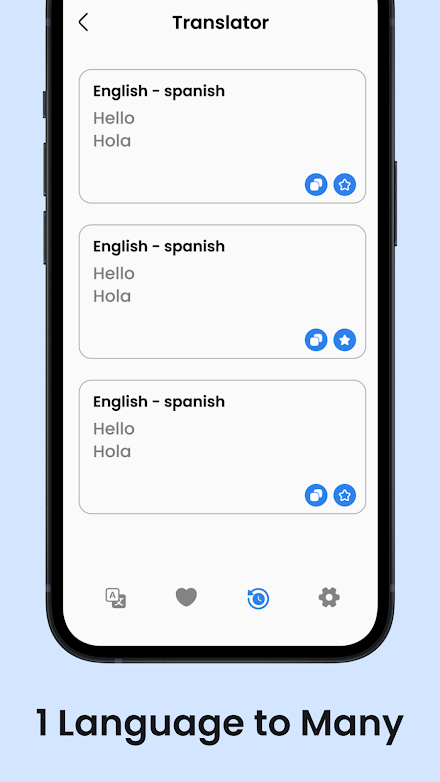
📒 History and Favorites: Keep track of your translations with ease.
Translator saves your previous translations and allows you to mark favorites for quick access.
Say goodbye to the hassle of reentering phrases or searching for frequently used translations.
🔒 Secure and Private: We take your data privacy seriously.
Translator ensures that your translations are secure and private.
Your data protection and confidentiality are our top priorities.Download Translator now and unlock the world without language barriers.
Whether youre a globetrotter, a language enthusiast, or a professional in a multicultural environment, Translator empowers you to communicate fluently and naturally, no matter the language.Note For Recommendation
🧾
✅ We are glad that you are joining the community of Translator app.Feel free to email us at [email protected] if you have an idea for a feature or need assistance with an issue.
About Translator
- Package name (App ID)
- com.alllanguage.translator.directory.languagetranslator.app
- Available on
- Google Play
- Price
- Free
- Developer
- BlueGalaxy Apps
Looking for the Translator APK?
The safest way to get Translator (com.alllanguage.translator.directory.languagetranslator.app) on your Android device is to install it directly from Google Play — you'll always get the latest official version, automatic updates, and no risk of modified or infected APK files from third-party sites.

Music Features
Enjoy high-quality music streaming and playback features.
Social Features
Connect and share with friends and the community.
Camera Features
Advanced camera features with editing capabilities.
See Translator in Action


Frequently Asked Questions
Is Translator free?
Yes, Translator is free to download and install on Android through Google Play.
How do I install Translator on Android?
Open Google Play on your Android phone or tablet, search for Translator by BlueGalaxy Apps or tap the Google Play button on this page, then tap Install. The app downloads and installs automatically.
What is com.alllanguage.translator.directory.languagetranslator.app?
com.alllanguage.translator.directory.languagetranslator.app is the App ID (package name) of Translator on Google Play. Every Android app has a unique package name, and it is the safest way to verify you are installing the official app.
Is Translator safe to download?
Installing Translator from Google Play is the safest option: you get the official version published by BlueGalaxy Apps, verified by Google Play Protect, with automatic updates. Avoid APK files from unofficial third-party sites.

Get Translator Today
Translator for Android — free download on Google Play.
Compatible with Android phones and tablets — available on Google Play.
Ask AI about this app
Get instant answers about features, tips and more from popular AI assistants.